Explore Musical Instrument Keyboards and MIDI Controllers
Musical instrument keyboards and MIDI controllers serve different but connected roles in music making. Digital pianos and stage pianos focus on playable piano sounds, while arranger keyboards add accompaniment styles, rhythms, and built-in speakers for performance or practice. Synthesizers generate and shape electronic sounds; workstation keyboards combine sound engines, sequencing, and recording features. MIDI controller keyboards primarily send performance data to computers, tablets, sound modules, or other compatible devices rather than producing sound on their own. Options range from compact models with 25 keys to full-size 88-key instruments, with different key actions and control layouts. Understanding whether you need an instrument that makes sound independently, a controller for music software, or a versatile combination helps narrow the selection. Ubuy lets shoppers discover international products across these keyboard categories.
- Digital pianos, arrangers, synthesizers, and workstations
- MIDI controllers for software and external sound modules
- Compact, portable, and full-size keyboard options
Compare Key Action, Range, and Playing Feel
The keyboard action affects comfort, technique, and how naturally an instrument responds. Synth-action keys are generally light and quick, making them useful for organ parts, synthesizer leads, and portable controllers. Semi-weighted keys provide more resistance, while fully weighted hammer-action keys are designed to feel closer to an acoustic piano. Key count matters too: 25- and 49-key models suit compact desks and mobile setups, whereas 61-key instruments offer more range for two-handed parts. A 73- or 76-key keyboard can balance piano range and portability, and 88 keys support the full piano register. Look for velocity sensitivity, which lets playing force influence notes, and consider aftertouch if you want pressure-based expression after a key is pressed. Adjustable velocity curves can help match the response to your playing style and software instruments.
- Choose action by playing style and technique
- Match key count to range and available space
- Check velocity sensitivity and aftertouch
Check MIDI Connectivity and Setup Compatibility
MIDI carries musical performance information such as note, timing, velocity, and controller changes; it does not inherently transmit audio. USB MIDI can connect a controller or keyboard to compatible computers and mobile devices, while five-pin MIDI ports link instruments, sound modules, and studio equipment. Some keyboards also include USB audio, which can transfer sound as well as MIDI, but the feature varies by model. Before buying, check operating-system and app compatibility, connector types, power requirements, and whether an adapter or powered USB hub may be needed. Sustain-pedal inputs, expression-pedal connections, and assignable control ports can expand performance options. For a software setup, confirm that the keyboard's controls can map to your digital audio workstation or virtual instruments. Ubuy provides a place to explore international keyboard and MIDI equipment while comparing connection features for your setup.
- Distinguish MIDI data from audio output
- Check USB, five-pin MIDI, and device compatibility
- Review pedal inputs, power, and control mapping
Compare Sounds, Controls, and Music Production Features
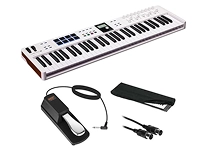
Built-in sound libraries vary from essential piano, electric piano, and organ tones to layered synthesizers, orchestral voices, and drum kits. A stage piano prioritizes performance sounds and hands-on controls, whereas a synthesizer may offer deeper sound design through oscillators, filters, envelopes, and modulation. Workstations can include multitimbral parts, arpeggiators, pattern sequencing, and song recording; arranger models often provide accompaniment styles for solo performers. MIDI controllers may add pads, knobs, faders, pitch and modulation wheels, and transport buttons for controlling production software. When comparing specifications, consider polyphony, effects, preset storage, split and layer functions, and the ease of editing sounds. Recognized makers such as Yamaha, Roland, Korg, Novation, Arturia, and Akai offer products across parts of this market, but features differ by model, so compare the specifications that fit your workflow.
- Compare sound engines, voices, and polyphony
- Look for useful pads, knobs, and performance controls
- Assess sequencing, effects, and split or layer functions
Plan Your Setup, Accessories, and Ongoing Care
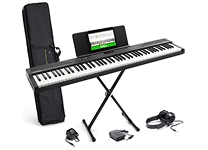
A practical keyboard setup may include a stable stand, bench, sustain pedal, headphones, and the appropriate cables. Home recording or live performance can also call for powered speakers, an audio interface, a music stand, or a protective case; verify whether each accessory is included or sold separately. Pedal compatibility matters, since instruments may support sustain only or provide inputs for additional expression and control pedals. For MIDI controllers, consider desk footprint, cable routing, and whether pads or faders are easy to reach. Keep keys and controls free of dust, use a soft dry cloth for routine cleaning, and follow the manufacturer's care guidance rather than applying liquids directly. For portable instruments, secure them during transport and protect connectors from strain. Ubuy can help shoppers discover keyboards and related accessories from international product selections, with model details useful for checking fit and connections.
- Match stands, pedals, cables, and cases to the instrument
- Plan for headphones, speakers, or recording equipment
- Protect keys and connectors with careful routine maintenance
Select the Right musical instrument keyboards midi
Start by identifying your main use: piano practice, stage performance, songwriting, music production, or controlling virtual instruments. For piano technique, prioritize weighted keys, a suitable register, and a pedal connection. For electronic production, focus on MIDI compatibility, key action, control mapping, and software integration. Players who need sounds without a computer may prefer a digital piano, synthesizer, arranger, or workstation with onboard audio and speakers or suitable outputs. Compare dimensions and weight if you will move the keyboard often, and check display visibility and control access if you perform live. Confirm the included accessories, power method, audio outputs, and connection requirements before placing an instrument in your setup. A clear feature comparison helps balance playing feel, sound options, portability, and workflow, so the keyboard supports both your current needs and the skills or projects you plan to develop.
- Choose for practice, performance, or production
- Verify sound, connection, and accessory requirements
- Balance playing feel with portability and workflow